Flip default
a flip phone with feelings
His face lives on the LCD screen, and he still has snake on him.
Signature: front flip ("flip open!")
A little pixel buddy who lives on your Windows desktop. He walks your taskbar, climbs your windows, types along with you, watches videos with popcorn and eats your snacks. Right now he's Flip, a flip phone with feelings.
Free · Windows 10 & 11 · no admin rights, nothing else to install · one tiny 175 KB app
psst… Flip's already here. Look down at the taskbar. Click him, throw him, rub him, drop a file on him, or right-click for his menu.
In the app, right-click your pet and pick Change pet… from his menu. He does a front flip, there's a poof, and the new one lands in the same spot. Here, just pick one: the whole page changes with him.
a flip phone with feelings
His face lives on the LCD screen, and he still has snake on him.
Signature: front flip ("flip open!")
a frog who flips
Big eyes, bigger jumps. Anyone seen a fly?
Signature: front flip ("frog flip!")
golden, fluffy, flippable
A pancake stack with butter and syrup on top. Born to be flipped.
Signature: front flip ("pancake flip!")
the original orange buddy
Where it all started. Flippy used to be called Clawd.
Signature: smashes his laptop ("fixed it.")
Flip, Hopper and Flapjack are the "flip" pets: Flippy is named after FlipForward. Every pet can do everything below.
Flip's watching his own highlight reel. Go on, hit pause. I dare you.
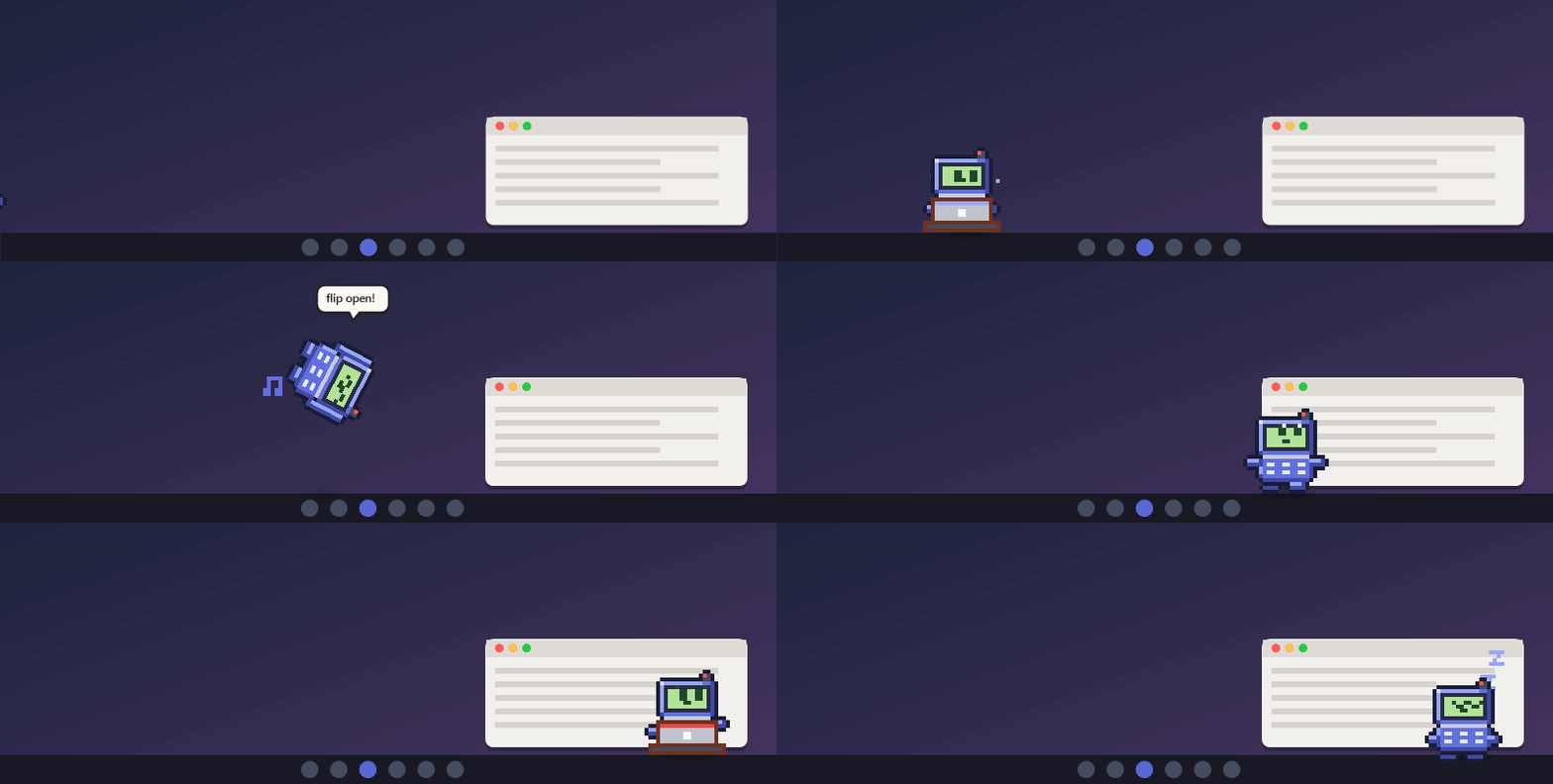
Poke him, play with him, feed him, or just let him do his thing. Every card is the real sprite, drawn pixel for pixel.
He hops.
He gets dizzy. Seeing stars, literally.
He flies, spins, bounces off the screen edges and lands dizzy. Aim for a window.
He blushes and floats hearts.
A cookie, pizza, apple or donut. He eats it in three bites.
He chews on it and has opinions. Your file isn't touched.
He pulls out his tiny laptop and types along, one hand per key.
He thinks. "Clauding…", "Percolating…", "Spelunking…"
He waves hi.
His signature move. Right-click → Do your thing!
For no reason at all.
Union rules.
Tiny pixel pellets, aimed in every direction. "gotcha!" / "dang it!"
360 no-scopes, no-look shots and ricochets off the floor. "TRICKSHOT!!"
Suits up and swings across your whole screen. Webs your cursor if it's above him.
YouTube, Netflix, Twitch, VLC… He grabs popcorn, sits in the glow of the screen and comments. Pause it and he stomps.
Headphones on, bopping along.
Busy CPU: he fans himself. Copy something: he catches a little paper. Low battery: "plug me in?"
Food, energy, fun and love. He gets hungry, tired and bored, and remembers it between sessions.
He yawns and naps. Late at night he wears a nightcap.
Unzip it anywhere you like.
Install Flippy.cmdHe appears at the bottom of your screen and starts with Windows (you can turn that off).
Right-click him and choose Change pet… from his menu.
Bring him back: if you send him away, start Flippy from the Start menu.
Uninstall: Settings › Apps, or double-click Uninstall Flippy.cmd.
No install: you can also just double-click Flippy.exe. He adds himself to the Start menu.
Settings: right-click him → Settings… to pick your pet, turn things on or off (the gun, the web-slinger, movie night, typing along…), and set his size, how active and how chatty he is.
Flippy isn't code-signed, so Windows SmartScreen may say "Windows protected your PC". Click More info → Run anyway. The full source is on GitHub.
He only counts how many keys went down, never which keys.
He checks the title of the window in front, and reads play/pause from Windows' own media controls.
Battery, CPU and "something was copied" events. Never what you copied.
He only looks at the file name. The file isn't opened or changed.
While his menu is open he notices where you click, so it can close when you click elsewhere.
Your settings, chosen pet and his needs live only in %APPDATA%\Flippy.
Nothing is sent anywhere. Ever.
This website has no cookies or trackers. The pet you pick here is remembered in your own browser only.
# C#, built with the compiler that ships with every Windows install
git clone https://github.com/finnvangronsveld/flippy
cd flippy
powershell -ExecutionPolicy Bypass -File build.ps1
.\Flippy.exe